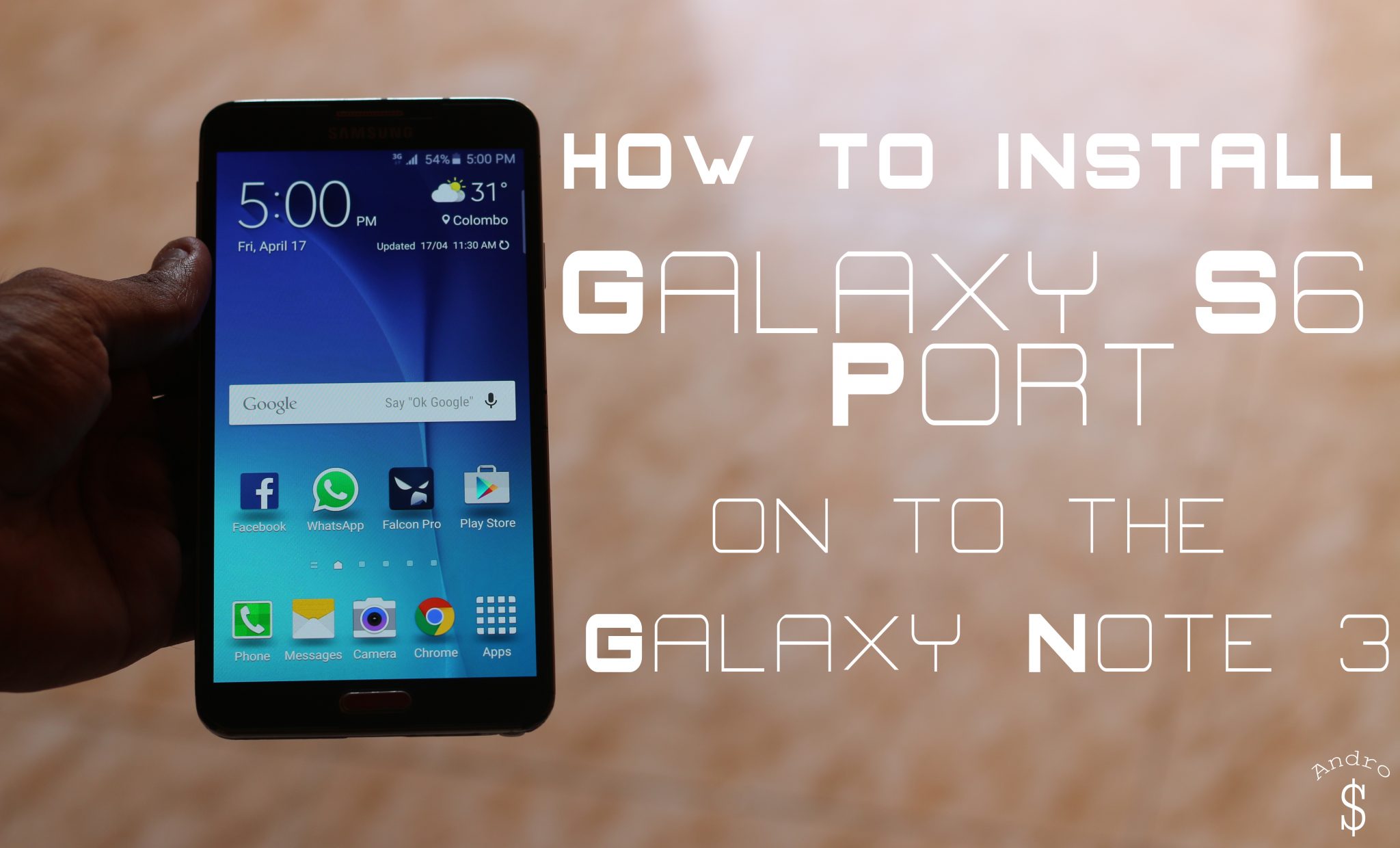
Last Year When the First Galaxy S5 Port was made for the Galaxy Note 3 I made a Video on that, and now that the Galaxy S6 is out, we have got a Good Galaxy S6 Port for the Galaxy Note 3. I thought of Sharing it with you guys. If you have a Galaxy Note 3, Get ready to take your phone to the next level. With this Rom, you can convert your Galaxy Note 3 to a Galaxy S6 (Software wise) and Today I’m going to Show you guys How To do exactly that. This rom was mainly developed by the Developer, darkera13. Don’t forget to show the developer some love by Hitting the “Thanks” button over at XDA and also by Donating.
You need to be rooted & you MUST use a custom recovery like TWRP Recovery (Check below for the download link). If you’re not Rooted, you can root your device by checking out the related forum over at XDA Developers, You can also contact me if you’re unable to find a safe method, so that I can send you the link. Checkout the Original Thread over at XDA Developers Website here.
Download Links
Download the Latest Philz Recovery File, Galaxy S6 Port Rom and also the Fixes that you need and then Transfer them to your Internal or External Memory.
- Recovery – Philz Recovery (Thread)
If you have any issues with this Rom, you can post your questions over at the XDA-Thread or you can leave your questions down below in the comments section. I will try my best to answer them. Checkout the Video down below and let me know what you think down below in the comments section.
This Rom is packed with Galaxy S6 Features, so it’s really Amazing. If you want to play around with your phone, then go ahead and try it. Checkout my Video on How to Install this Rom below. Feel free to Share this with your friends with the Galaxy Note 3 and Stay tuned to Andro Dollar for more. If you have any suggestions or Video Requests for me, Feel free to drop a comment.
WARNING – Whatever you do with your phone, you do that entirely on your own risk and you have full responsibility for the consequences. The author can’t be responsible for any damages of your phone!



15 comments
hello, i installed the leaked lollipop on my note 3 before, and now i want to change to this amazing rom, but when i reboot the device in the recovery mode i couldn’t find “install Zaip” in the options, please help me how to download this rom
You need to have a CUSTOM RECOVERY like Philz Recovery installed and you must be rooted to follow this tutorial! First get that done, check my article for links to XDA where you can find those….
Thank you… It worked and thank you for this insane ROM its the best ever
Awesome, Thanks for your feedback. Stay tuned to http://www.androdollar.com for more, and Share this with your friends 🙂
sure bro,
but there is a point, many many times this message shows “unfortunately the UI stopped” and i have to restart the phone to re work again
If you followed the Fixes, Non of those issues will ever bother you. Like I demonstrate in my video, apply the fixes.
hello, thank you very much, it is an amazing ROM actually, but i have a problem, in the first two days the rom worked perfectly, and then many many issues was appeared, first i cant access playstore anymore (no internet connection error, second the settings disappeared, sync issues, many apps crashes like snapchat and youtube, and the case going to worse, how you can help me to fix these issues ?
Are you using the Alpha, Beta, or Beta 2?
Hello o have flash the s6 beta 2 rom.my battery is finishing so fast and front camera cant work can u help me on this please.
There are issues yes, The Best option is to wait for the next version.
So went can I get the new version Sir. Thank you
Dev has not mentioned a ETA. Check XDA!
Can tell me how to fix the battery drain problem because its using all of my battery and I neve on my data or WiFi. Please help me on this.thank you
Can you please help fixing snote issue (unfortunately snote stop working )
Thanks
Usama
There is a fix at XDA, Please check!