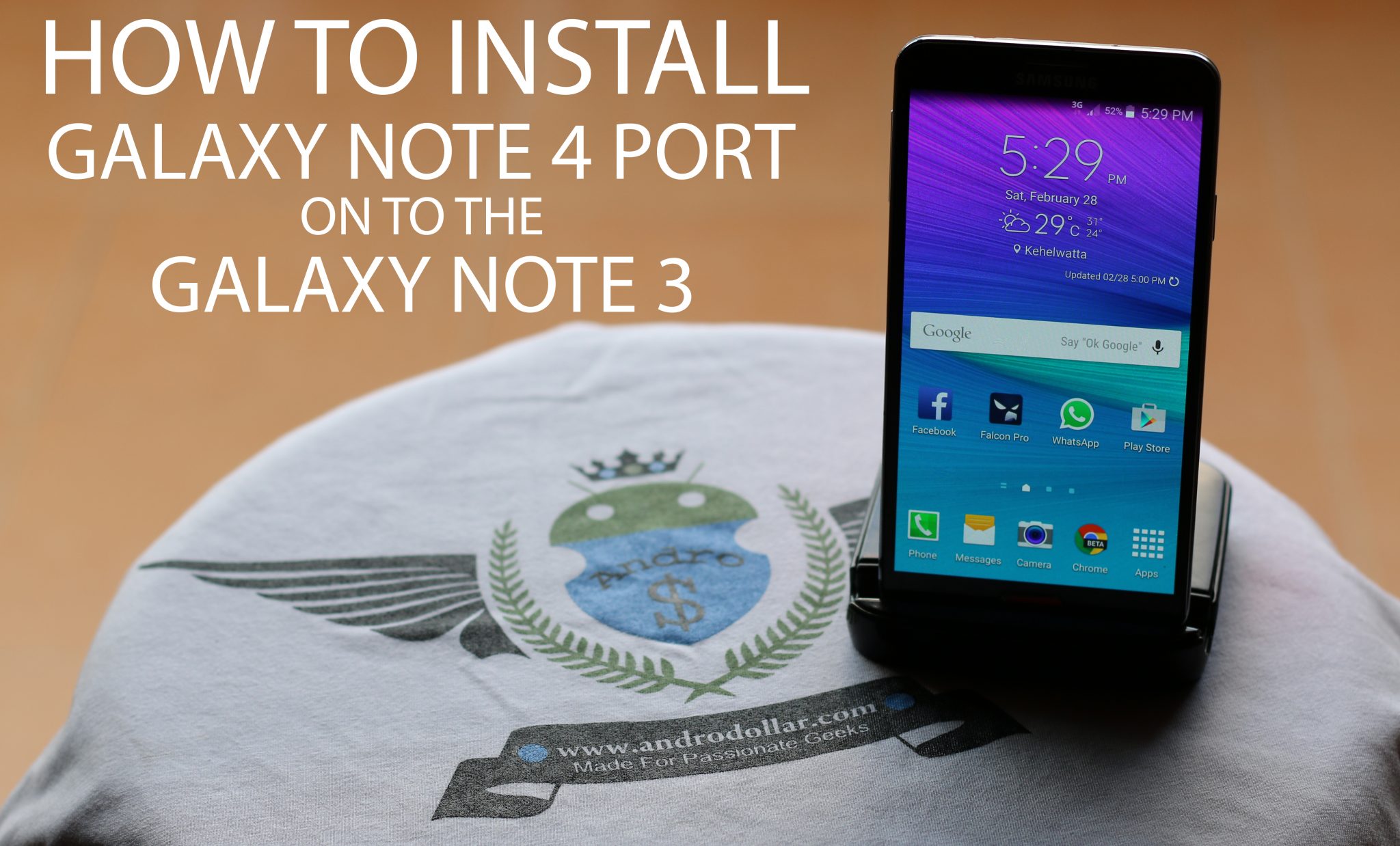
You might have a Galaxy Note 3, but now you can Completely Transfer it to a Galaxy Note 4 by Installing the latest Tweaked Ported Galaxy Note 4 Rom based on Android Lollipop on to your device. Today I’m going to Show you guys How To do exactly that. This rom was mainly developed by the Developer, g00h. Don’t forget to show the developer some love by Hitting the “Thanks” button over at XDA and also by Donating.
You need to be rooted & you MUST use a custom recovery like TWRP Recovery (Check below for the download link). If you’re not Rooted, you can root your device by checking out the related forum over at XDA Developers, You can also contact me if you’re unable to find a safe method, so that I can send you the link. Checkout the Original Thread over at XDA Developers Website here.
Download Links
Download the Latest TWRP Recovery (If you don’t have it yet), and the Zip File of the Rom Rom and then Transfer it to your Internal or External Memory.
- Recovery – TWRP Recovery (Thread)
If you have any issues with this Rom, you can post your questions over at the XDA-Thread or you can leave your questions down below in the comments section. I will try my best to answer them. Checkout the Video down below and let me know what you think down below in the comments section.
This Rom is packed with Note 4 Features, so it’s really Awesome. If you want to play around with your phone, then go ahead and try it. Checkout my Video on How to Install this Rom below. Feel free to Share this with your friends with the Galaxy Note 3 and Stay tuned to Andro Dollar for more.
WARNING – Whatever you do with your phone, you do that entirely on your own risk and you have full responsibility for the consequences. The author can’t be responsible for any damages of your phone!




20 comments
I’ve tried to put my concerns to Andro Dollar, however, he seems reluctant to answer me or at the very least vague and evasive with his answers.. So could you please help me…. I tried to do as he (Andro Dollar), says regarding following the instructions to load the rom, however, when installing the TWRP, and trying to get the rom my phone soft bricked… After bringing it to get repaired I’m willing to have another go… However, the links to the TWRP what he doesn’t say is that there are so many each of which are in 2 versions along with Img, rar, and/or zip. So which one do I choose for my note 3 n9005 UK edition? All I’m asking is for the details he left out, that’s all… And could I not download the TWRP and ROM, via my native note 3 browser straight to my SD card and then install or flash from the SD card rather than on my laptop (which is slow)…? Please please please get back to me asap. Thanks a million ALLDHAT-N-DEN-SUM.
“Reluctant” seems quite harsh. If you watched the Video “Properly” on a PC, you would have seen the Annotation where it gives a link to a Video where I show how to install it… Also, If that’s not ok with you, you still could Google “How to install TWRP on to the Note 3” and you would still get a Proper Answer in detail… See, I can’t be showing the Same thing over and over again on every video, which is why I leave links on the videos… It is up to the end user to do some research and follow it….
You can use the Img file to flash via ODIN, or Zip to flash via a custom recovery. Eitherway will work.
To answer your last question, Yes you can do it just by using a Phone if you do it properly!
Thank you for your reply… Thank you and I did watch the video several times on my computer before having a go. When I did research (you gave no reference points to look at), I seen very conflicting views regarding custom recovery modules again all that did is cause confusion. And the technician at Samsung told me that the problem is that the person (s) involved in this customer installation should provide the details as they have left many TWRP links of which nobody knows which works or which type to use and I informed him that the TWRP upon /after pressing install did not see any ROM and it was upon trying to go to recovery of the TWRP that it became stuck on the Note 3 logo…. The technician told me that bricking is usually because lack of precise detail needed to ensure roms are installed correctly because often the developers or persons on behalf of them, think everyone can just install roms etc as simple as they find it. And thus where the problem lies… However, I’m sorry if I come across as harsh, just don’t want to damage my phone that’s all, and I am confident you mean no harm to our phones and the effort you go to so that people like me (who are fans of you and love your youtube channel etc) can get the best from our phones… If I offended you please accept my sincere apologies… I’m deeply Sorry… The TWRP I used is the one I seen on the video (I wrote it down)… Again thanks
Use the latest version as of Today (06/03/2015) – “openrecovery-twrp-2.8.5.0-hlte-4.4.img.tar” and flash it via Odin.
Again thank you for your advice however, I don’t know how to flash via Odin…
Nope! You need to use Odin to flash the RECOVERY ONLY! You can check youtube for videos on this! Just select the recovery img under AP and put the device to download mode and hit on start! Then you can flash a rom! You can Google for more information! I simply don’t have time to explain everything step by step…
N9005 Hong Kong edition. It works almost perfect. stable and fast. Just a minor issue,I’ve just discovered today. the “Action memo” cannot be open . the other 3 air command option works very good. However , I used action memo a lot. any ways to fix this issue?
When I use my spen to point on action memo , nothing shows up. It seems that it’s not even initiate the app.
Please help! coz I like this rom very much!
Yes,it is missing. You could get the APK and install it, or wait for the version of the rom with that!
cant seem to be able to find the download for the rom…..click the link and it just takes me to a dead thread….help
Select the download tab ur in the discussion tab… Lol
This Rom is Not Supported by the Dev Anymore, so you can’t download it.
Hi, I had installed the rom works gud. But how is that the one u have installed in ur video is version 3.xx but the one in xda forum is 1.1
This Rom is Not Supported by the Dev Anymore, so you can’t download it…
netowrk problem
Follow the instructions in the video!
I FOLLOW EVERYTHING BUT NETOWRK JUST COME AND OUT EVERY 20SEC LATER
WATCH AND FOLLOW THE VIDEO PROPERLY! UNTICK the “Diagnostic data” Option in the Start up (Welcome Screen after installing the rom)! You will have to reinstall the rom! If you don’t do this your signals won’t work properly!
how to root this rom?
i root my note 3 LTE n9005 but after i format my phn n restart it, it not accept my google account not what should i do?
Make sure you enter the details properly! It is NOT a problem caused by the rom!