Andro Dollar Andro Dollar
  • Advertise on Andro Dollar
  • Videos
  • Gaming
  • About Us
  • Contact Us
  • Newsletter
  • Wallpaper
  • Privacy Policy
  • Terms and Conditions
Andro Dollar Andro Dollar Andro Dollar
  • Videos
    • Unboxings
    • Reviews
    • Tips
    • Vlogs
    • Best Apps
    • Best Games
  • Shorts
  • Reviews
  • News

HOW TO : Root & install Cyanegonmod on to the Samsung Galaxy S2, S3, S4, Note 1, Note 2, etc using the CyanegonMod Installer and get Android 4.4 Kitkat

  • Banu
  • February 7, 2014
  • 2 minute read
Total
0
Shares
0
0
0

CyanegonMod (1)

It seems nowadays the word “easy” has taken on an alternate meaning. When I see “easy,” I expect a quick and painless process, but when it comes to flashing or installing a custom ROM, easy really isn’t easy.

That’s the main reason most people avoid installing CyanogenMod on their device.

For example, on the Nexus 7, you had to unlock your bootloader, have a custom recovery, and use a root toolkit to install CyanogenMod and Gapps. On the HTC One, it was a similar process, minus the toolkit.

That doesn’t sound so easy to a non-techy person. They want to do even less work, and they want it to be fast as well.

Luckily, the folks over at CyanogenMod heard their complaints and have created quite possibly the easiest and fastest way to install a custom ROM ever—NO rooting and NO bootloader unlocking involved. Let’s install it on your device and see just how easy it really is.

1) Check whether your device is supported. Click here to get the Full list of supported devices and FAQ.
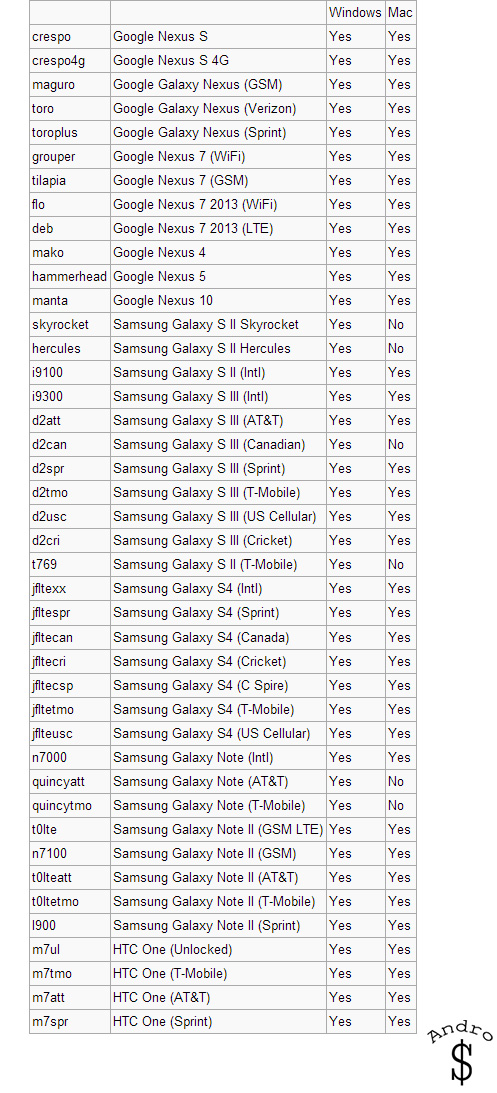
Supported Devices
Supported Devices

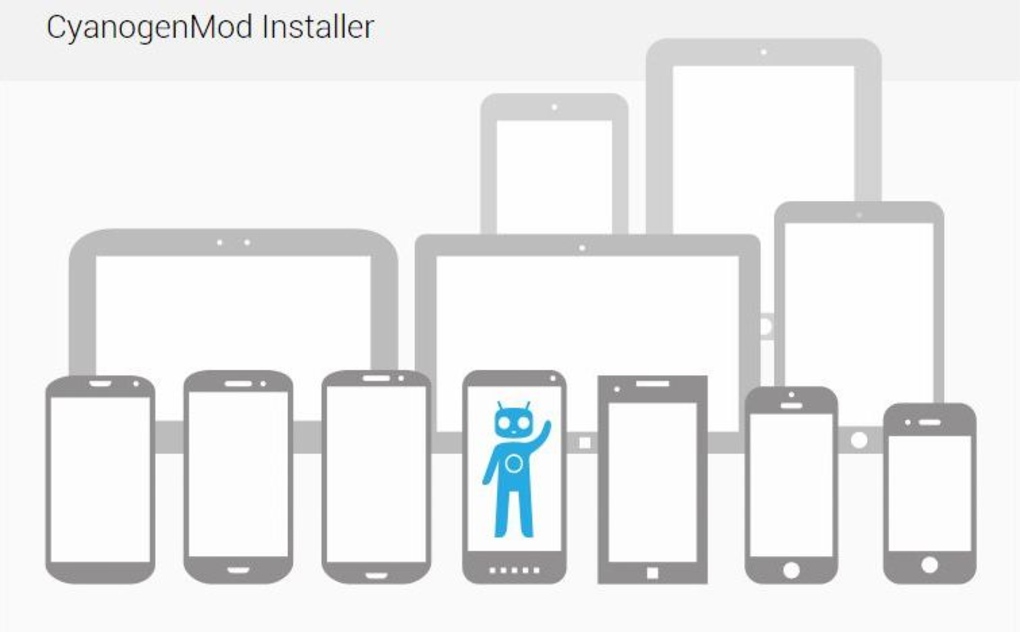
2) Get the required download files from the official Cyanegonmod Page and follow the quick and easy steps.

*The process is incredibly simple. You connect your device, the installer identifies and then downloads the required files and packages. You’ll be asked to touch your device only once, and that’s to confirm you want to unlock your bootloader (If Necessary). Other than that, the installer takes care of everything. It’s really important to make sure your device is charged, and you don’t unplug or power off your device at any time during the installation.

The installer will let you know when it’s finished. The first boot will take some time, so don’t panic. There will be software updates available upon first boot.
234234234

That’s it folks… Enjoy Android 4.4 Kitkat on your Device. If you run in to any problems you can contact me.

The process really couldn’t be easier, especially since there’s zero rooting and unlocking involved for you, and I never ran into any snags while installing. Did it run as smoothly for you as it did for me? Let us know in the comments section below; Also don’t forget to share this with your friends.

WARNING – Whatever you do with your phone, you do that entirely on your own risk and you have full responsibility for the consequences. The author can’t be responsible for any damages of your phone!

Total
0
Shares
Share 0
Tweet 0
Pin it 0
Related Topics
  • Android
  • Android 4.4
  • CM
  • CM11
  • Cyanogenmod
  • Easy as 1
  • Google
  • How-To
  • HTC
  • KitKat
  • Nexus
  • Nexus 5
  • Note 1
  • Note 2
  • Root
  • S2
  • S3
  • S4
  • Samsung
  • Superuser
Banu

I'm Banu. I also go by as "Andro Dollar". I am a passionate tech geek born and raised in Sri Lanka who likes to do creative things and look at things differently. I'm a risk taker and a perfectionist. If I'm doing something, I'll do it right! That's my Moto.

Previous Article

LEAKED : HTC M8 aka HTC One+ Live Image

  • Banu
  • February 5, 2014
View Post
Next Article

HTC regional director says M8 photos are fake

  • Banu
  • February 7, 2014
View Post
You May Also Like
View Post
  • How To

HOW TO : Add a VPN to your web browser in 3 simple steps

  • Writer Andro Dollar
  • May 10, 2019
View Post
  • How To

How to install Android P on your Google Pixel 2, Pixel 2 XL, Pixel or Pixel XL

  • Banu
  • March 8, 2018
View Post
  • How To

HOW TO : Install Android 8.0 Oreo Beta on to your Huawei Nova 2i NOW

  • Banu
  • March 3, 2018
View Post
  • How To

Bring back the “View Image” button on Google Images in less than 1 minute

  • Banu
  • February 19, 2018
screen-shot-2016-12-08-at-10-02-44-pm
View Post
  • How To

HOW TO : Take a screenshot on Android phones and tablets

  • Banu
  • December 8, 2016
fix-mobile-network-not-available-error-1000×875
View Post
  • How To

How To : Fix Android’s ‘insufficient storage available’ error message

  • Banu
  • November 28, 2016
Technicians working on electronics or motherboard
View Post
  • How To

HOW TO : Fix a PC that won’t start up

  • Banu
  • November 20, 2016
cable2-520×354
View Post
  • How To

HOW TO : Connect a laptop to a TV via HDMI, VGA and USB

  • Banu
  • November 14, 2016
3 comments
  1. Shanil says:
    April 5, 2014 at 7:29 PM

    Great help.. Rooted my S3 & it works perfectly.. Thanx to Banu & Androdollar.. 🙂

    1. Andro Dollar says:
      April 6, 2014 at 12:06 AM

      Awesome 🙂 Stay tuned to Andro Dollar for the latest in Tech 🙂

Leave a Reply Cancel reply

You must be logged in to post a comment.

Ebates Coupons and Cash Back
Andro Dollar Andro Dollar
  • Advertise on Andro Dollar
  • Videos
  • Gaming
  • About Us
  • Contact Us
  • Newsletter
  • Wallpaper
  • Privacy Policy
  • Terms and Conditions
Tech with over a decade of experience

Input your search keywords and press Enter.

Powered by Joinchat
Hello 👋
Can we help you?
Open chat