Andro Dollar Andro Dollar
  • Advertise on Andro Dollar
  • Videos
  • Gaming
  • About Us
  • Contact Us
  • Newsletter
  • Wallpaper
  • Privacy Policy
  • Terms and Conditions
Andro Dollar Andro Dollar Andro Dollar
  • Videos
    • Unboxings
    • Reviews
    • Tips
    • Vlogs
    • Best Apps
    • Best Games
  • Shorts
  • Reviews
  • News
iOS 7 Jailbreak

HOW-TO : Jailbreak your iPhone/iPad/iPod running iOS 7.0-7.0.6

  • Banu
  • December 23, 2013
  • 2 minute read
Total
0
Shares
0
0
0

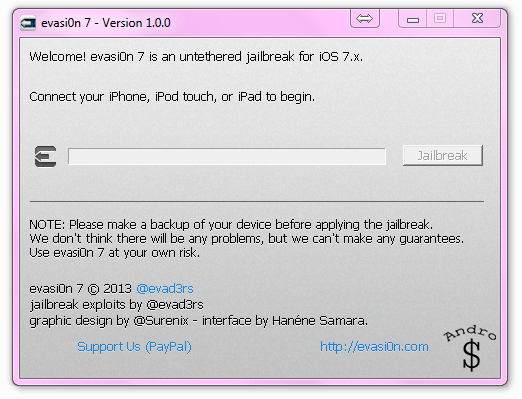
Finally it’s here. Thanks to the evasi0n team, the iOS 7 jailbreak is here (and just in time for Christmas). As with most of their jailbreaks, you simply need to plug in and run their super simple program to jailbreak the iPhone, iPad, or iPod. With that in mind though, there are a few things you should definitely know/do before you click that big blue jailbreak button (backing up being a biggie).

Before we begin,

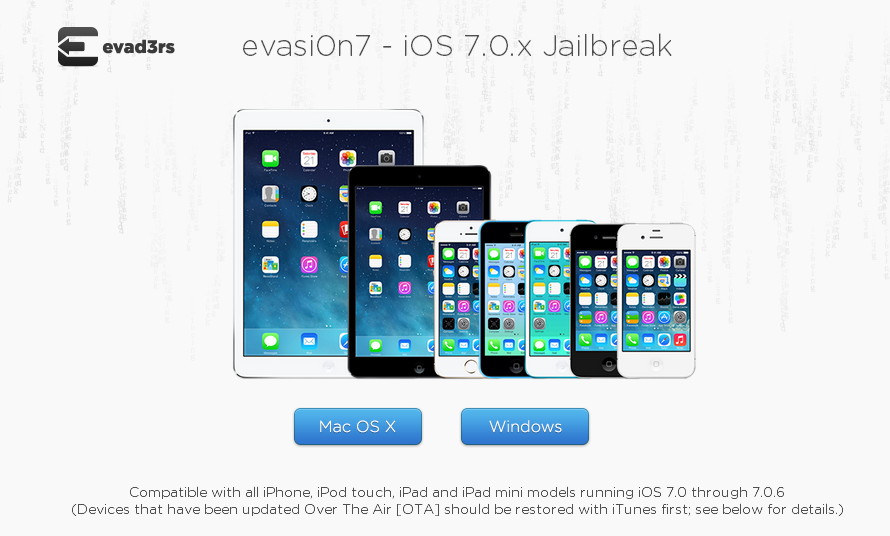
1) This works on all iPhone/ iPads and iPods running on iOS 7.0 – iOS 7.0.6. 

2) This works on Windows and Mac (simply download your version of the jailbreaking software when necessary).

3) You must have the latest version of iTunes installed. If not, head here, download, and install the version there.

4) If you have a Passcode Enabled, please Remove it before you proceed. (Go into the Settings app on your device and temporarily disable it in the General —> Passcode Lock section. (You can re-enable it after the jailbreak is complete.)

5) Turn on Airplane mode to prevent any updates or data-driven apps from interfering with the jailbreak process.

5) Plug your iPhone in to the computer, and perform a Backup with iTunes.

How to Jailbreak –

1) Download the latest version of the Evasi0n to your computer.

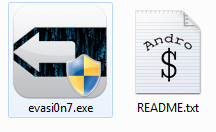
2) If you’re using Windows right-click the .zip file and click Extract all then double click the exe file inside to install the program (If you’re using a Mac, Double click the .dmg file if using a Mac and install the Evasion program).
Jailbreak (4)

3) Click on Jailbreak.

Jailbreak (3)

4) Unlock the phone screen when prompted.

5) Tap the Evasi0n app icon on your device’s home-screen and wait for it to reboot.

6) Exit the Evasi0n app when it’s done and you should see Cydia on your device now.


WARNING – Whatever you do with your phone, you do that entirely on your own risk and you have full responsibility for the consequences. The author can’t be responsible for any damages of your phone!

Show your support to the Developers, Consider Donating.

If you liked the content, Please Share with your friends who might find it useful.


Total
0
Shares
Share 0
Tweet 0
Pin it 0
Related Topics
  • Apple
  • iOS 7
  • iOS 7 Jailbreak
  • iPad
  • iPhone
  • iPod
  • Jailbreak
  • Untethered
Banu

I'm Banu. I also go by as "Andro Dollar". I am a passionate tech geek born and raised in Sri Lanka who likes to do creative things and look at things differently. I'm a risk taker and a perfectionist. If I'm doing something, I'll do it right! That's my Moto.

Previous Article

Grand Theft Auto San Andreas now available on the Google Play Store

  • Banu
  • December 21, 2013
View Post
Next Article

Untethered iOS 7 jailbreak is now Available

  • Banu
  • December 23, 2013
View Post
You May Also Like
View Post
  • How To

HOW TO : Add a VPN to your web browser in 3 simple steps

  • Writer Andro Dollar
  • May 10, 2019
View Post
  • How To

How to install Android P on your Google Pixel 2, Pixel 2 XL, Pixel or Pixel XL

  • Banu
  • March 8, 2018
View Post
  • How To

HOW TO : Install Android 8.0 Oreo Beta on to your Huawei Nova 2i NOW

  • Banu
  • March 3, 2018
View Post
  • How To

Bring back the “View Image” button on Google Images in less than 1 minute

  • Banu
  • February 19, 2018
screen-shot-2016-12-08-at-10-02-44-pm
View Post
  • How To

HOW TO : Take a screenshot on Android phones and tablets

  • Banu
  • December 8, 2016
fix-mobile-network-not-available-error-1000×875
View Post
  • How To

How To : Fix Android’s ‘insufficient storage available’ error message

  • Banu
  • November 28, 2016
Technicians working on electronics or motherboard
View Post
  • How To

HOW TO : Fix a PC that won’t start up

  • Banu
  • November 20, 2016
cable2-520×354
View Post
  • How To

HOW TO : Connect a laptop to a TV via HDMI, VGA and USB

  • Banu
  • November 14, 2016

Leave a Reply Cancel reply

You must be logged in to post a comment.

Ebates Coupons and Cash Back
Andro Dollar Andro Dollar
  • Advertise on Andro Dollar
  • Videos
  • Gaming
  • About Us
  • Contact Us
  • Newsletter
  • Wallpaper
  • Privacy Policy
  • Terms and Conditions
Tech with over a decade of experience

Input your search keywords and press Enter.

Powered by Joinchat
Hello 👋
Can we help you?
Open chat